Taming the Tangle: Cable Management Strategies
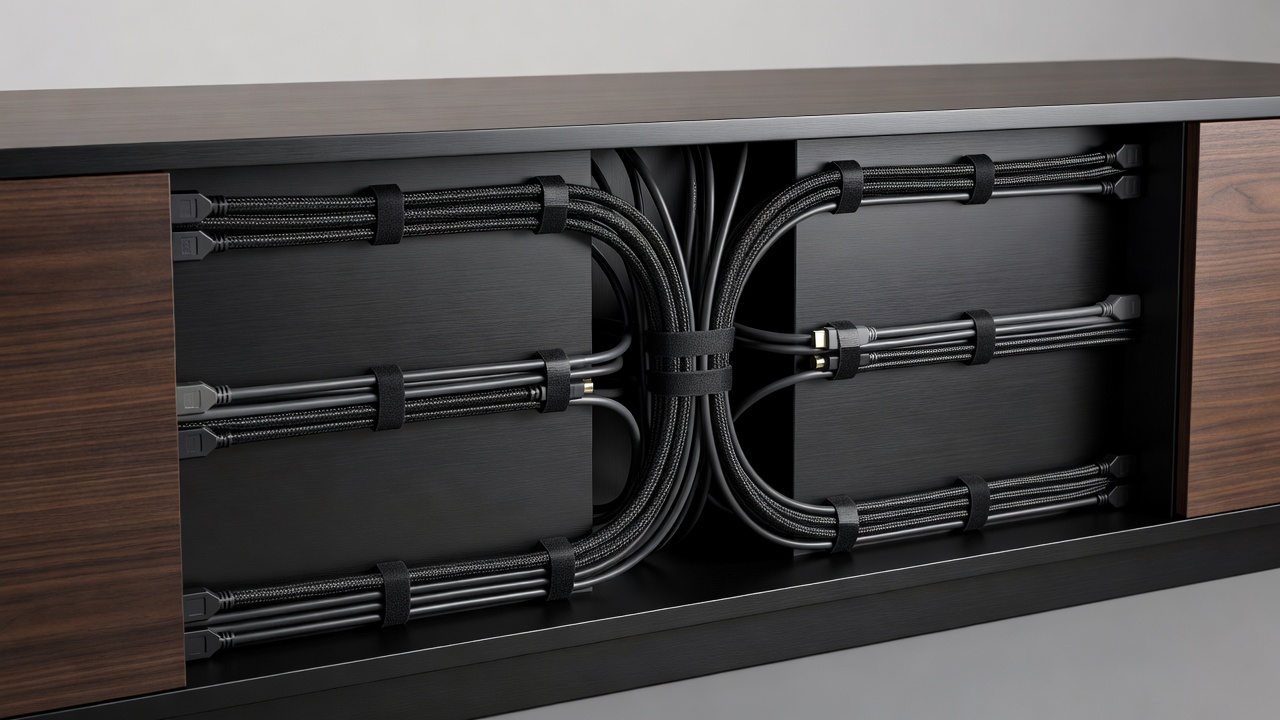
A beautifully designed living room can be instantly undermined by a chaotic web of power cords, HDMI cables, and speaker wire dangling haphazardly from the back of a media console. Effective cable management is not merely an aesthetic pursuit; it protects expensive electronics from dust buildup, prevents tripping hazards, and reduces interference between signal cables.
Built-in Furniture Solutions
The most effective cable management begins with the furniture selection itself. Before purchasing a unit, inspect the rear panel and structural design for built-in routing options.
- Grommets and Cutouts: High-quality stands feature pre-drilled holes in the backing panels of every shelf tier. These allow cables to pass directly backward rather than wrapping around the front edges of shelves.
- Channeled Legs: In minimalist, open-frame metal stands where there is no backing panel to hide behind, some models feature hollow legs or rear channels designed specifically to route cables from the upper shelves down to the floor outlet invisibly.
- False Backs: Some premium cabinets utilize a dual-back system, leaving a two-inch gap between the interior shelf backing and the true back of the unit. This creates a hidden corridor where excess cable length and small power strips can be stowed entirely out of sight.
Managing the Power Strip
The focal point of the mess is almost always the power strip. Simply leaving it on the floor beneath the unit invites dust and looks untidy. The goal is to lift the power distribution off the floor.
If your console has an enclosed lower cabinet, mount the surge protector directly to the inside wall or rear panel using heavy-duty double-sided mounting tape or screws (if the wood is thick enough). By bringing the power strip into the unit, you reduce the number of cables trailing down to the wall outlet from many to just one.
Aftermarket Routing Tools
If your chosen unit lacks comprehensive built-in management, several aftermarket tools can salvage the situation:
- Velcro Cable Ties: Never use plastic zip ties. Zip ties must be cut to be removed, risking damage to the cables, and they cinch too tightly, which can damage internal wiring. Reusable Velcro hook-and-loop straps allow you to bundle cables gently and adjust them as you add new equipment.
- Neoprene Sleeves: When cables must traverse an open space (for instance, dropping from a wall-mounted TV down to a low console), a zippered neoprene sleeve can bundle four or five distinct wires into a single, clean black or white tube that blends into the background.
- Adhesive Cable Clips: These small clips can stick to the underside of shelves or the back edges of furniture legs, allowing you to trace the path of a cable exactly along the geometry of the stand, keeping it taut and invisible from the front.
Thermal Considerations
When bundling cables and stowing electronics, heat becomes a factor. Never tightly bundle power cables alongside sensitive data cables (like HDMI or ethernet), as this can cause signal interference. More importantly, when hiding cables inside enclosed cabinets, ensure that the equipment generating heat—amplifiers, gaming consoles—still has adequate airflow. Do not pack excess wire so tightly around exhaust vents that you create a thermal trap.
Taking the time to organize wiring during the initial setup of your media console pays dividends in the cleanliness and maintenance of your living space for years to come.